 ROOTWIN PROJECT
R-Migrator
Open →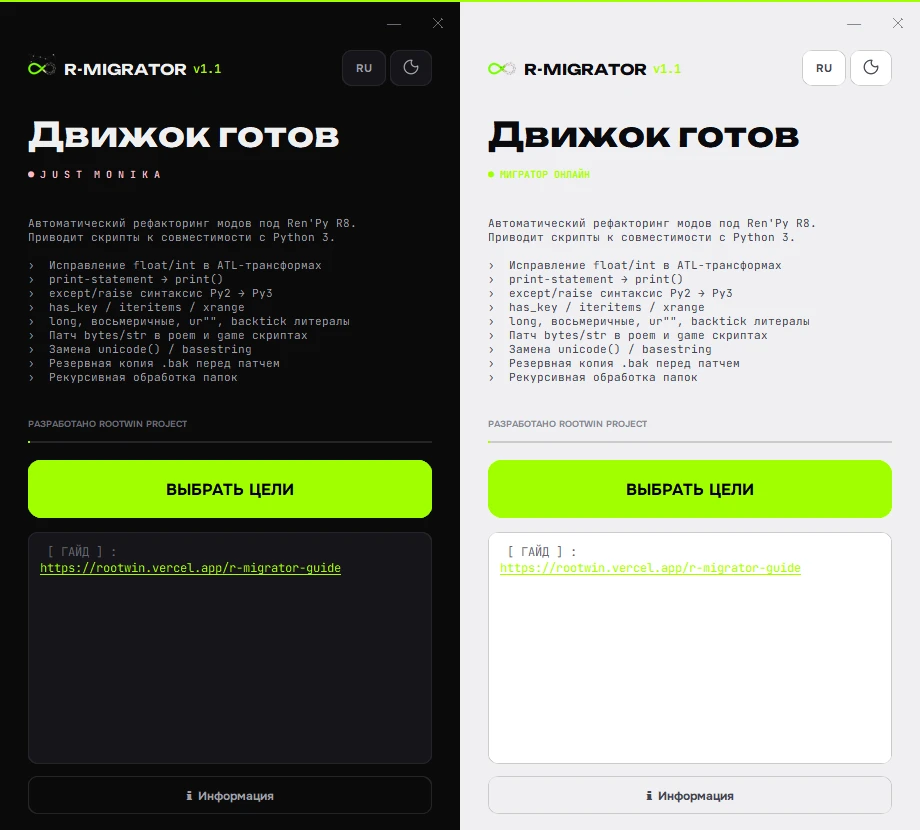
A lot of DDLC and Ren’Py mods were written for Ren’Py 7 and Python 2. Ren’Py 8 runs on Python 3. Strings stopped being interchangeable with bytes, syntax shifted, and scenes that “always worked” crash on launch or fail in a late branch. Doing that migration line by line is possible. On a large mod it is also a weekend you will not get back.
R-Migrator batch-processes a project directory and applies the boring, repeating fixes so you can spend time on the weird custom code the tool will not guess. Since v1.2.1 it runs on both Windows and Linux from a single codebase, with an identical interface on each platform.
The latest builds are on the R-Migrator itch.io page.
What it actually does
- common Python 2 / Python 3 incompatibilities;
bytes/strproblems that show up the moment you boot the game;- automatic unpacking of
.rpaand.rpycbefore patching — asynchronously, without blocking the UI; - typical DDLC-mod trouble spots;
- directory-wide processing instead of opening files one by one;
- per-folder snapshots, so you can roll back to any migration step;
- live processing stats with an estimated finish time;
- faster scans on large projects thanks to Cython compilation;
- a light distribution: 14 MB on Windows and 16 MB on Linux after the v1.2.1 build optimization.
It is not a guarantee. After the automatic pass you still test, especially anywhere the original author wrote one-off Python.
In the pipeline
- R-Migrator — get the old project running on Ren’Py 8.
- RenDoki — prepare localization.
- AutoBuild — assemble a build you can ship.
Version history
- v1.0 (9 May 2026) — first public beta: Python 2 → 3 syntax migration and
bytes/strpatches. - v1.1 (8 September 2026) — automatic
.rpa/.rpycunpacking, Cython core. - v1.2 (20 September 2026) — 50% faster processing, async unpacking, rollback snapshots.
- v1.2.1 (22 September 2026) — Linux port and a 60% smaller build.
The first public release was the opening piece of ROOTWIN’s newer DDLC/Ren’Py tooling line.
User guide
A full walkthrough of the interface, the .bak backup option, automatic .rpa/.rpyc unpacking, and the whole migration flow is available on a separate page: R-Migrator user guide.
Troubleshooting Guides & Common Issues
- Why old Ren’Py mods crash on Ren’Py 8 — root cause breakdown and automated fix.
- Fix bytes vs str errors (TypeError: can’t concat str to bytes) — why strings break on Python 3 and how to patch them.
- Python 2 to 3 converter for Ren’Py scripts — batch refactor
.rpyfiles without corrupting dialogue indentations. - Updating DDLC mods to Ren’Py 8 — poem minigame fixes, font remapping, and script updates.
- How to port Ren’Py 7 games to Ren’Py 8 — full modernization roadmap for Steam Deck and mobile compliance.
- Unpack .rpa archives and decompile .rpyc to .rpy — 1-click extraction without terminal command-line tools.