 ROOTWIN PROJECT
P2P-File-Transfer Major Update
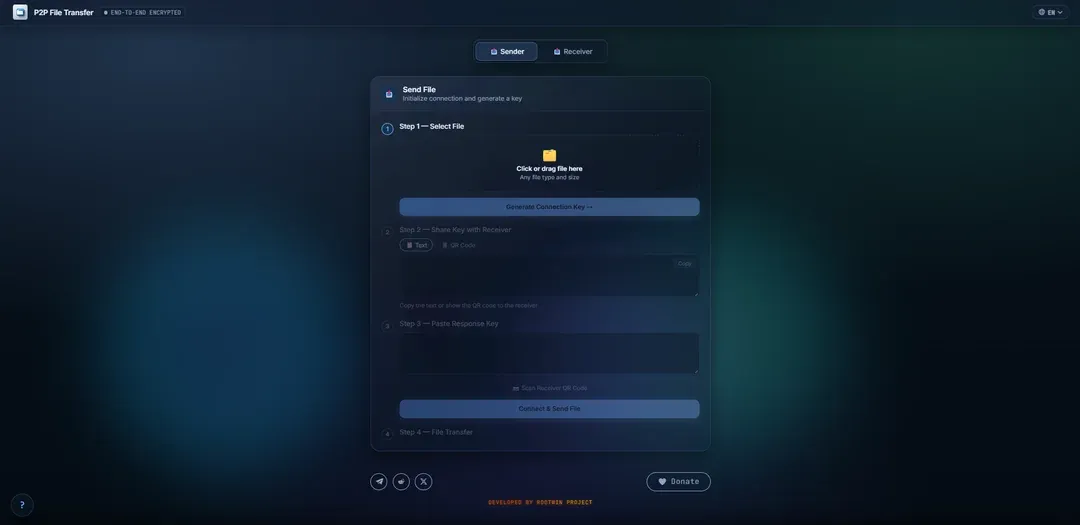
We’ve shipped a major update for P2P-File-Transfer! We reworked the transfer flow, statuses, and security transparency — it’s noticeably smoother and more honest now.
What’s new:
- Smart QR scanning — key parts can now be scanned in any order.
- Smoother transfers — progress updates ~10 times per second, no more freezes on weaker devices.
- Honest status — “File received” only appears after the file is fully written, errors show up immediately.
- Long file names (>100 characters) are no longer truncated.
- Fallback download — if you cancel folder selection, you get a “download to browser memory” option instead, so nothing is lost.
- FAQ in 10 languages — clear info about DTLS WebRTC encryption and the local Rust/WASM engine.
- Password generation fixed — removed randomness bias, so passwords are now uniformly random.
How it looks
The send screen: pick a file, generate the connection key, and connect to the receiver.
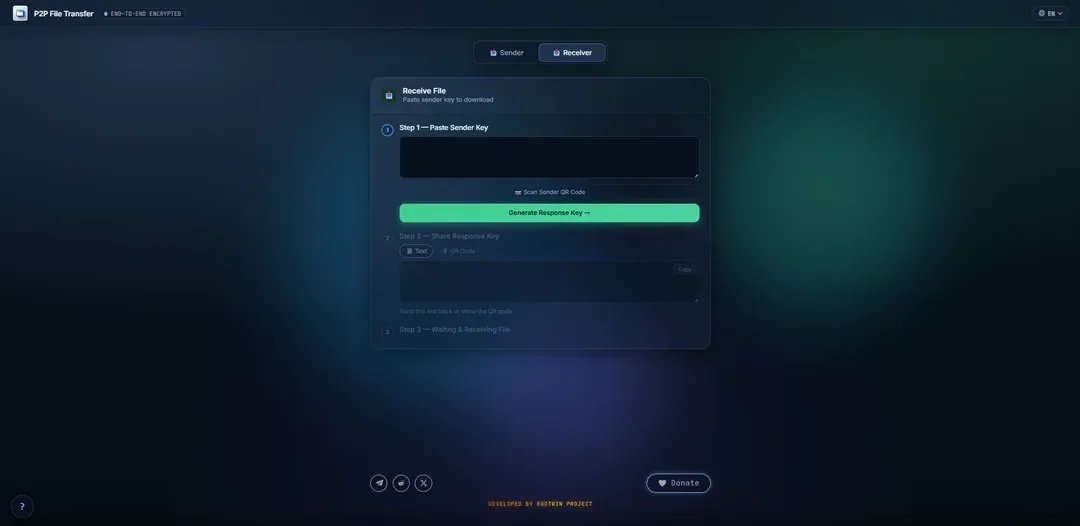
The receive screen: paste the sender key, generate a response key, and wait for the transfer.
Try it
The update is already live in the web version — transfers work right in the browser, no install or registration required.
What the tool does and how it evolved — on the /software/webrtc-file-transfer page.
FAQ
No. The file goes browser-to-browser over the WebRTC connection — there is no intermediate storage server.
WebRTC encrypts the channel with DTLS, and the local engine's cryptographic operations run in the browser on Rust/WASM. The tool's FAQ covers the details in 10 languages.
No. The update is live in the web version — transfers work right in the browser, with no install and no account.