 ROOTWIN PROJECT
Command
Directory
ROOTWIN PROJECT’s Telegram chat manager — admin panel, moderation, and a full set of user tools.
This directory covers every command ROOTBOT supports, split into what chat admins configure through the Admin Panel and moderation commands, and what any member can use directly in chat or in DM.
Most moderation commands take an optional reason and act on whoever you replied to. Sensitive commands like password generation and encryption only work in a direct message with the bot, for privacy.
Configuring the bot for your chat
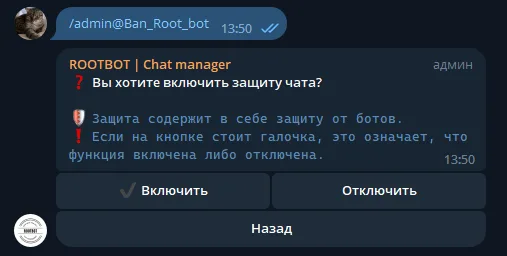
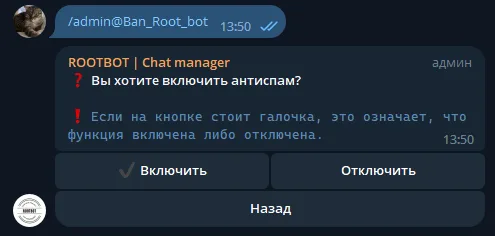
The Admin Panel is where chat owners tune ROOTBOT’s automatic protections, before touching a single moderation command.
Screens new joiners against automated accounts before they ever post in the chat.
Blocks flooding with text messages, and separately with stickers and GIFs.
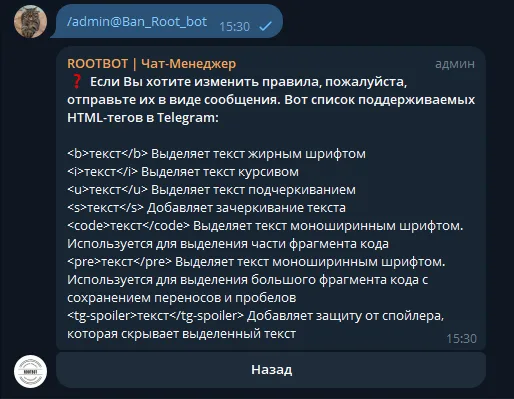
Set the rules text shown to members via /rules, straight from the Admin Panel.
Deletes messages matching a banned word at 88% similarity or higher — manage the list with add/del commands.
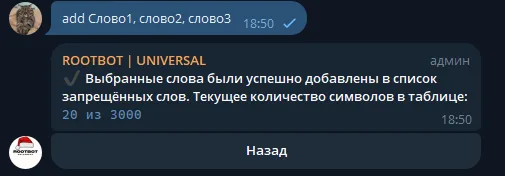
Adds one or more words to the banned-words list for this chat.
Removes one or more words from the banned-words list.
Words under 5 letters may be recognized incorrectly or not removed at all — keep entries reasonably specific.
Moderation
The classic moderation toolkit, plus bulk actions by user ID for handling raids fast.
/ban [reason] (reply) Bans the member you replied to, with an optional reason.
![ROOTBOT — /ban [reason] (reply)](/images/software/rootbot-guide-ban.webp)
/unban [reason] (reply) Lifts a ban from the member you replied to.
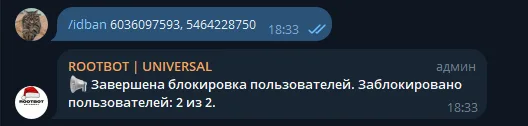
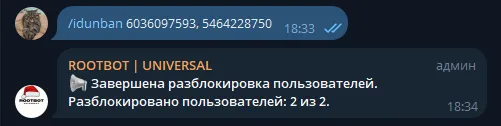
Apply an action to a whole list of user IDs at once, without replying to each message individually.
/idban id1, id2, id3 Bans every user ID in the list.
/idunban id1, id2, id3 Unbans every user ID in the list.
/idmute 10m/h/d/w/mo/y id1, id2, id3 Mutes every listed ID for the given duration.
/idunmute id1, id2, id3 Lifts the mute from every listed ID.
/warn [reason] (reply) Issues a warning to the member you replied to.
/unwarn [reason] (reply) Removes one warning from the member.
/unwarn_all [reason] (reply) Clears all of that member’s warnings at once.
/kick [reason] (reply) Removes the member from the chat — they can rejoin later.
![ROOTBOT — /kick [reason] (reply)](/images/software/rootbot-guide-kick.webp)
Duration suffixes: m — minutes, h — hours, d — days, w — weeks, mo — months, y — years.
/mute m/h/d/w/mo/y [reason] (reply) Silences the member for the given duration.
![ROOTBOT — /mute m/h/d/w/mo/y [reason] (reply)](/images/software/rootbot-guide-mute.webp)
/unmute [reason] (reply) Restores the member’s ability to post.
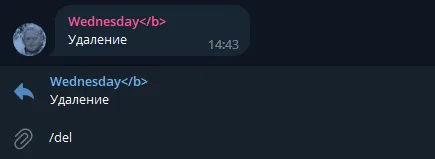
/del (reply) Deletes the message you replied to.
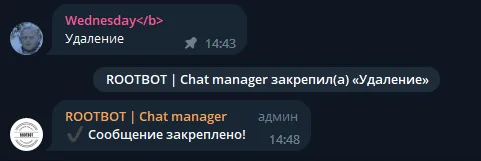
/pin (reply) Pins the message you replied to.
/unpin (reply) Unpins the message you replied to.
/clear_all Lets every pending new member skip the captcha check.
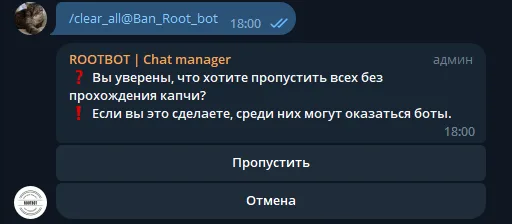
/clear [id] Lets one specific member skip the captcha check.
/search Looks for a new chat to link for cross-chat conversation.
/cancel Disconnects from the currently linked chat.
Tools for every member
No admin rights needed — from chat info and lookups to privacy tools and a bit of fun.
/rules Shows the chat rules set by admins.
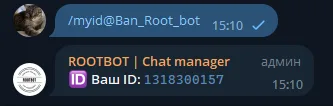
/myid Shows your own Telegram ID.
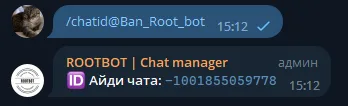
/chatid Shows the current chat’s ID.
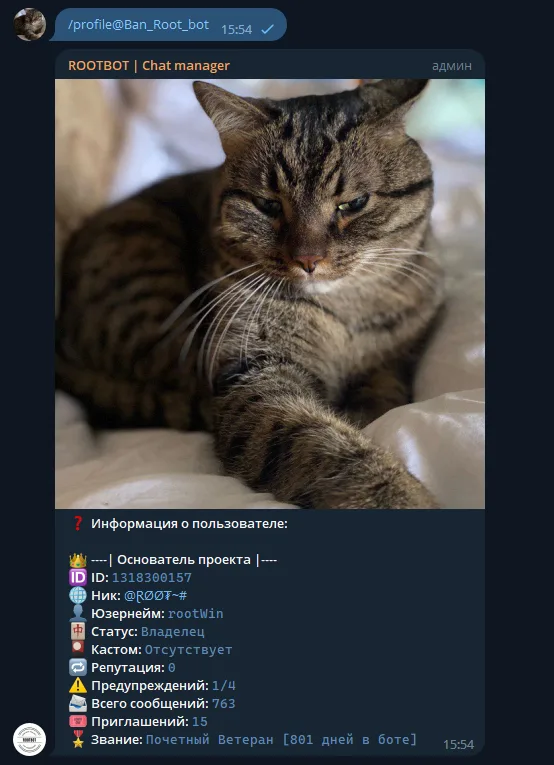
/profile Shows your own bot profile.
/info (reply) Shows the profile of the member you replied to.
/stats Shows the bot’s overall statistics.
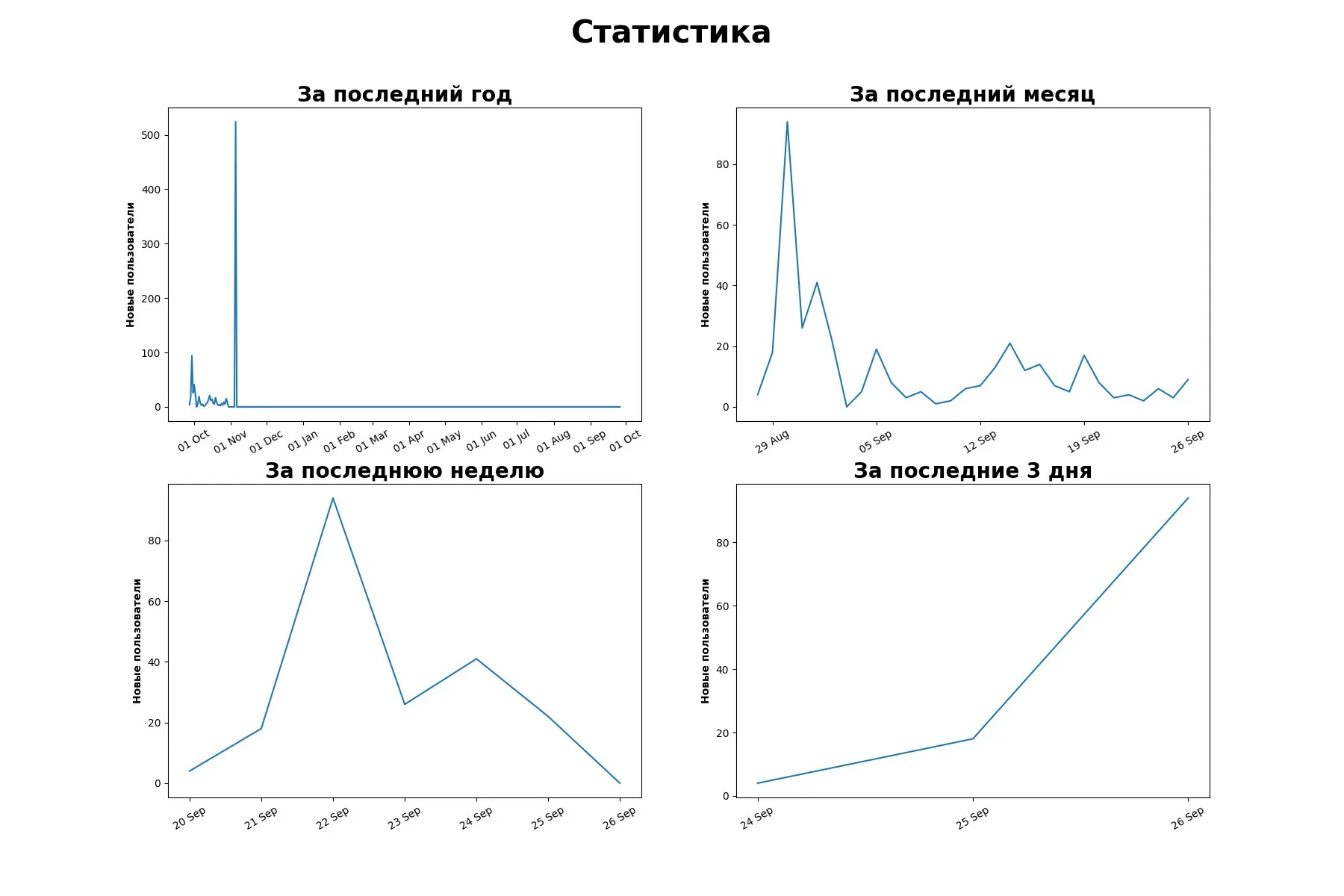
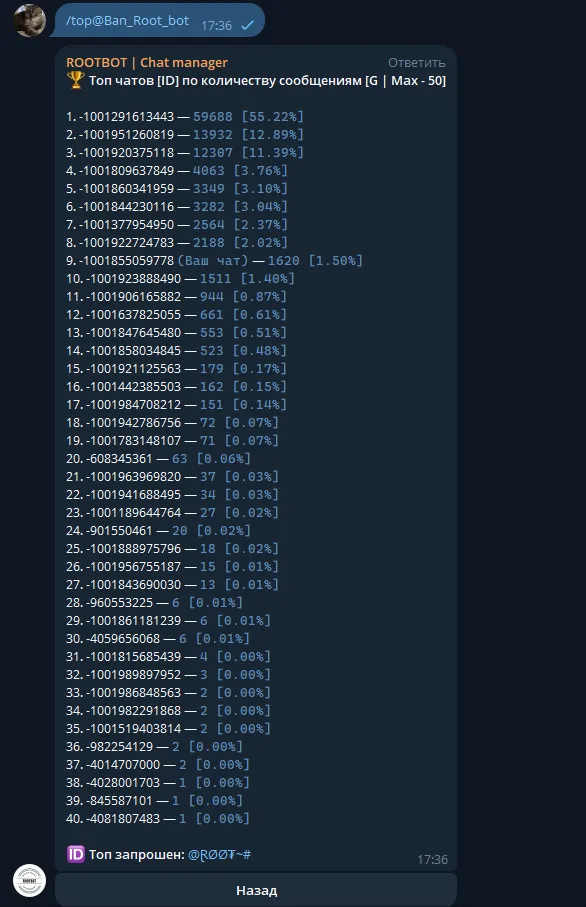
/top Shows local and global rankings.
/check [id] Gets a profile or chat link from an ID, where Telegram allows it.
![ROOTBOT — /check [id]](/images/software/rootbot-guide-check.webp)
/qrcode [link] Generates a QR code for a link.
![ROOTBOT — /qrcode [link]](/images/software/rootbot-guide-qrcode.webp)
/ip [address] Looks up information about an IP address.
/wiki [query] Searches Wikipedia.
Link lookups only work if the target has interacted with the bot or is a mentioned group member; private chats can’t be linked even if the bot is an admin there.
/passw [length] Generates a password. DM-only, and nothing is ever stored.
![ROOTBOT — /passw [length]](/images/software/rootbot-guide-passw.webp)
/random [number] Generates a random number.
![ROOTBOT — /random [number]](/images/software/rootbot-guide-random.webp)
/calc [expression] A calculator for common math expressions.
![ROOTBOT — /calc [expression]](/images/software/rootbot-guide-calc.webp)
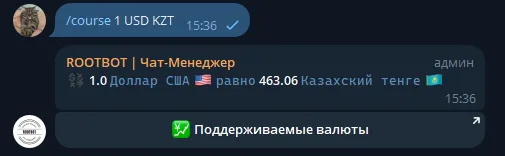
/course amount from to Converts between currencies.
/days [DD-MM-YYYY] Counts the days to or from a date.
![ROOTBOT — /days [DD-MM-YYYY]](/images/software/rootbot-guide-days.webp)
/seo (reply) Runs a basic text analysis on the message.
/repeat [count] [text] Repeats text — capped at 3500 characters.
![ROOTBOT — /repeat [count] [text]](/images/software/rootbot-guide-repeat.webp)
/encrypt [password] [text] Encrypts a message with AES-256.
![ROOTBOT — /encrypt [password] [text]](/images/software/rootbot-guide-encrypt.webp)
/decrypt [password] [ciphertext] Decrypts a message encrypted with /encrypt.
/text [lang or lang+lang] Extracts text from a photo (OCR). Heavy visual noise can hurt accuracy.
Encrypt/decrypt work in DM only, for privacy — nothing is ever saved on our side.
/joke Sends a random joke.
/status Sends a meme based on an HTTP status code.
/ball [question] A magic 8-ball for yes/no questions.
![ROOTBOT — /ball [question]](/images/software/rootbot-guide-ball.webp)
/custom [status] Sets a custom status — set separately per chat.
![ROOTBOT — /custom [status]](/images/software/rootbot-guide-custom.webp)
/me [action] Expresses an action in the third person, like an IRC /me.
![ROOTBOT — /me [action]](/images/software/rootbot-guide-me.webp)
(just talk to it) A recreation of the 1960s ELIZA chatbot, which used keyword substitution to mimic conversation. English only.

/report [complaint] Sends a complaint about a member to the chat’s admins, along with Admin Panel logs.
![ROOTBOT — /report [complaint]](/images/software/rootbot-guide-report.webp)
/bug [description] Reports a bug directly to the developers.
![ROOTBOT — /bug [description]](/images/software/rootbot-guide-bug.webp)
/support Shows contact details for bot support.
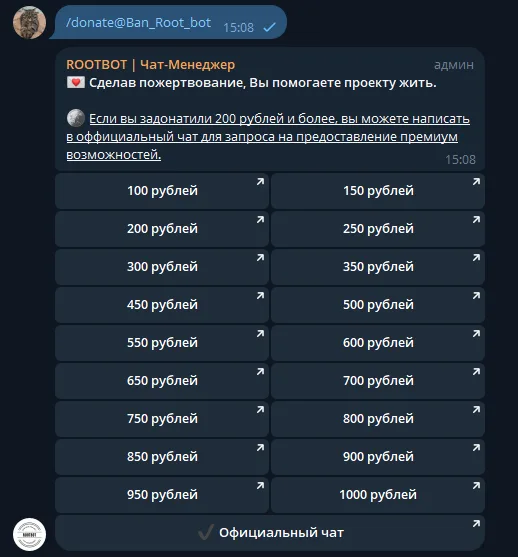
/donate Supports the project — a donation from 0.3 TON unlocks premium perks.
What ROOTBOT does and doesn’t keep
Password generator is DM-only
For security, /passw only works in a direct message with the bot. Generated passwords are never stored anywhere.
Encryption stays private
/encrypt and /decrypt use AES-256 and work in DM only. Nothing you encrypt is ever stored on our side.
Link lookups have limits
/check only resolves a link if the target has interacted with the bot or was mentioned in a group. Private chats never resolve, even if the bot is an admin there.
OCR accuracy depends on the image
/text extracts text from photos, but heavy visual noise in the image can make recognition unreliable.
Feedback & contact
Sends a complaint about a member to the chat’s admins, along with the relevant Admin Panel logs.
Reports a bug straight to the developers.
Shows contact details for bot support.